¶ Recent Tasks
The Recent Tasks panel provides visibility into all background operations currently in progress. Similar to Proxmox’s task list, it ensures that users can monitor and manage key system activities without interrupting end users.
¶ Overview
Recent Tasks handle asynchronous operations within the platform, including:
- Virtual Machine Creation
- External Network Creation
- Virtual Data Center Deletion
- Tenant Deletion
These operations run in the background to reduce disruption to users and allow them to continue working while infrastructure changes are processed.
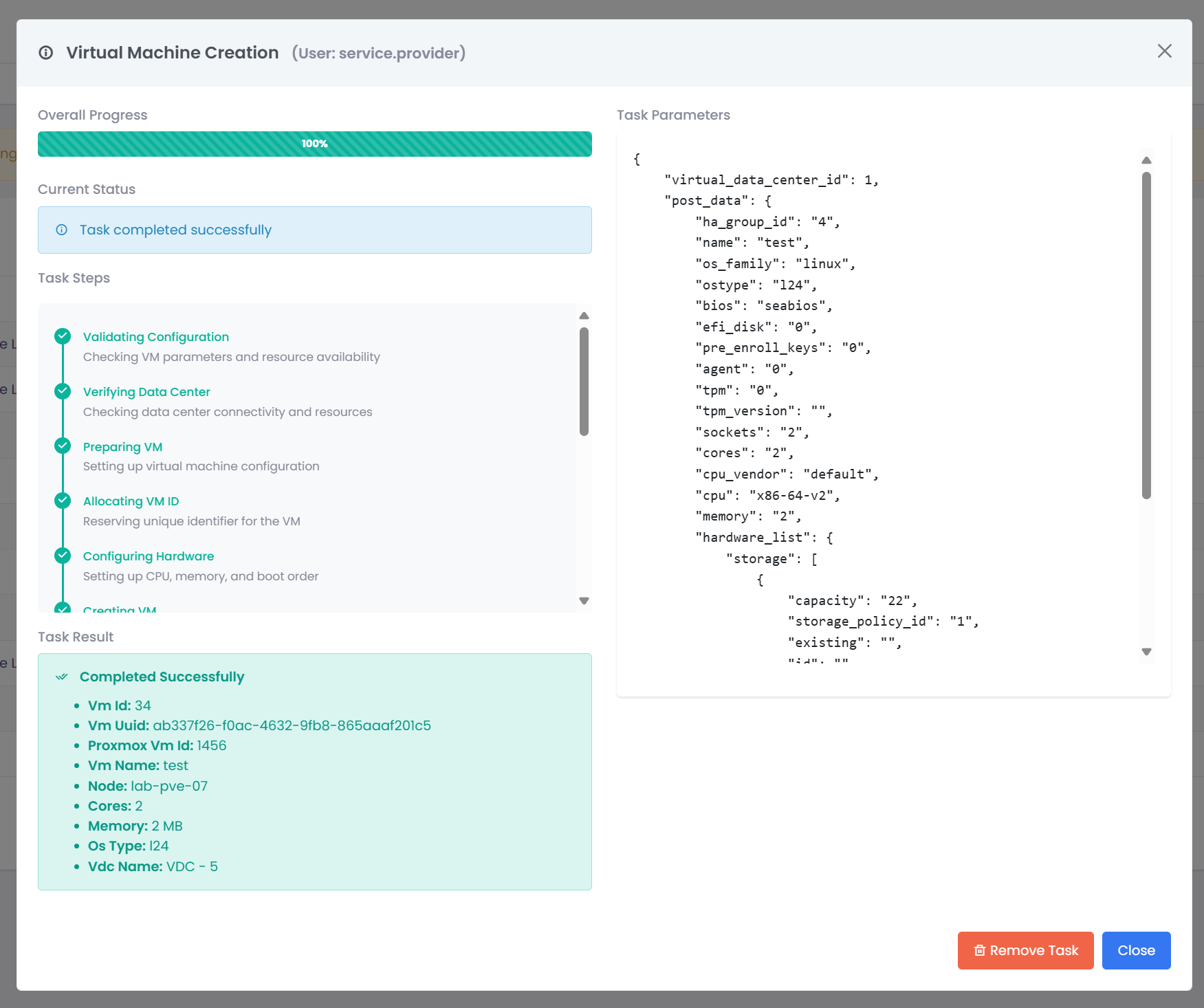
List of two jobs inside of the recent tasks list.

Example of a Recent Task job from a user with the Service Provider role.
¶ Location
The Recent Tasks panel is located at the bottom of the page and displays all active, queued, and recently completed jobs it will display the last 50 rewcent tasks.
¶ Task Management
From the Recent Tasks panel, administrators can:
- Start Manually trigger queued or pending tasks.
- Stop Cancel a task currently in progress, if required.
- Restart Failed Jobs Re-run failed tasks without needing to repeat the entire workflow.
This design reduces downtime and provides flexibility in managing long-running or failed operations.
¶ Benefits
- User Continuity Users can continue using the system while background jobs complete.
- Failure Recovery Failed jobs can be retried with minimal effort.
- Transparency Administrators have clear insight into all ongoing processes.
- Control Start, stop, and restart functionality empowers administrators to manage workloads efficiently.
¶ Example Workflow
- User requests a new Virtual Machine.
- The request is added to the Recent Tasks list.
- The system begins provisioning in the background.
- The user can continue other activities while the task runs.
- If the task fails, an administrator can restart it directly from the panel.
¶ Queue Workers
The background processing of tasks is handled by Queue Worker. These agents ensure that tasks in the Running Tasks panel are executed reliably.
If Worker Agents are stopped, recent tasks will not be processed until they are started.
- Location: Navigate to System Info → Queue Workers.
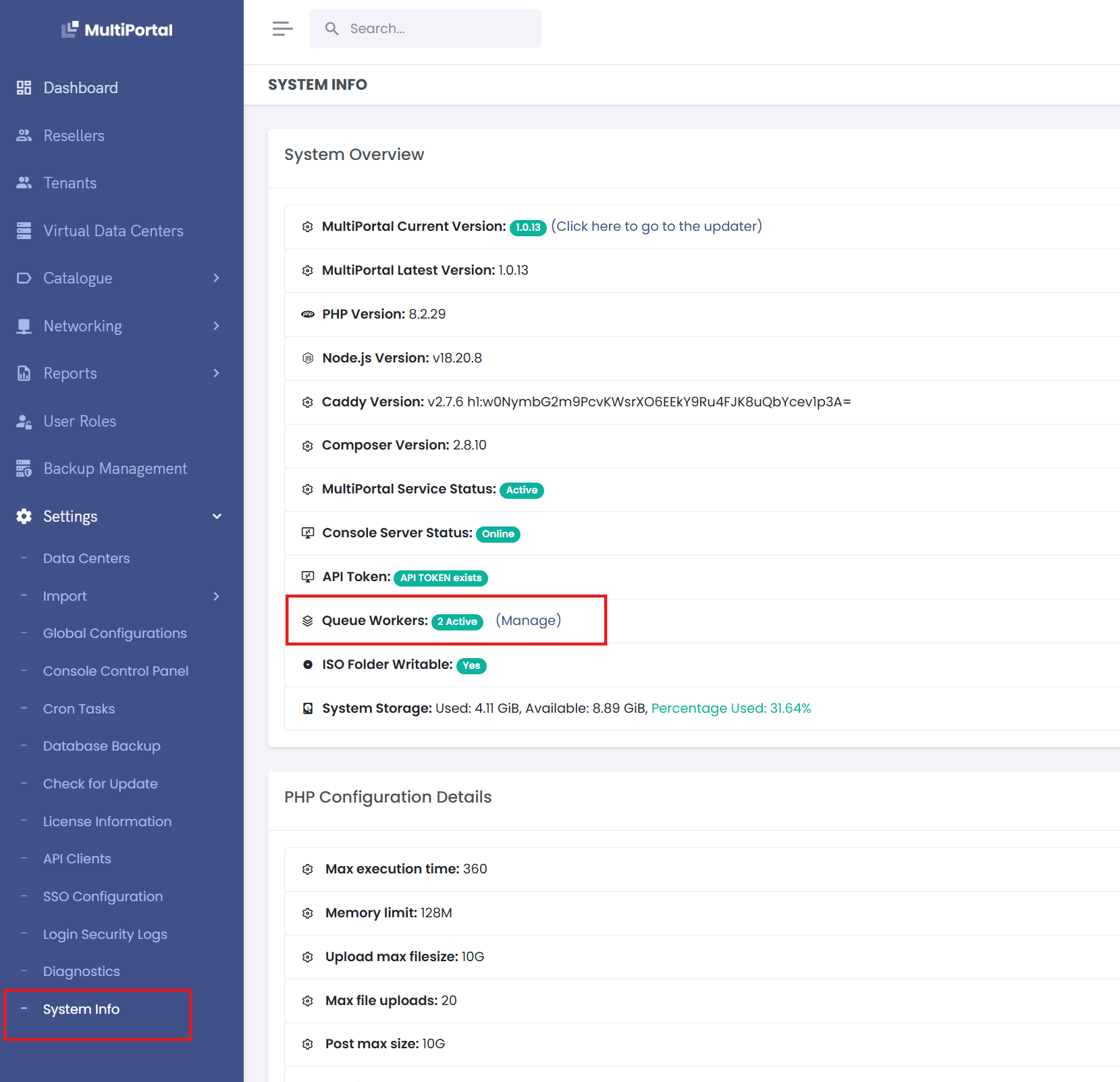
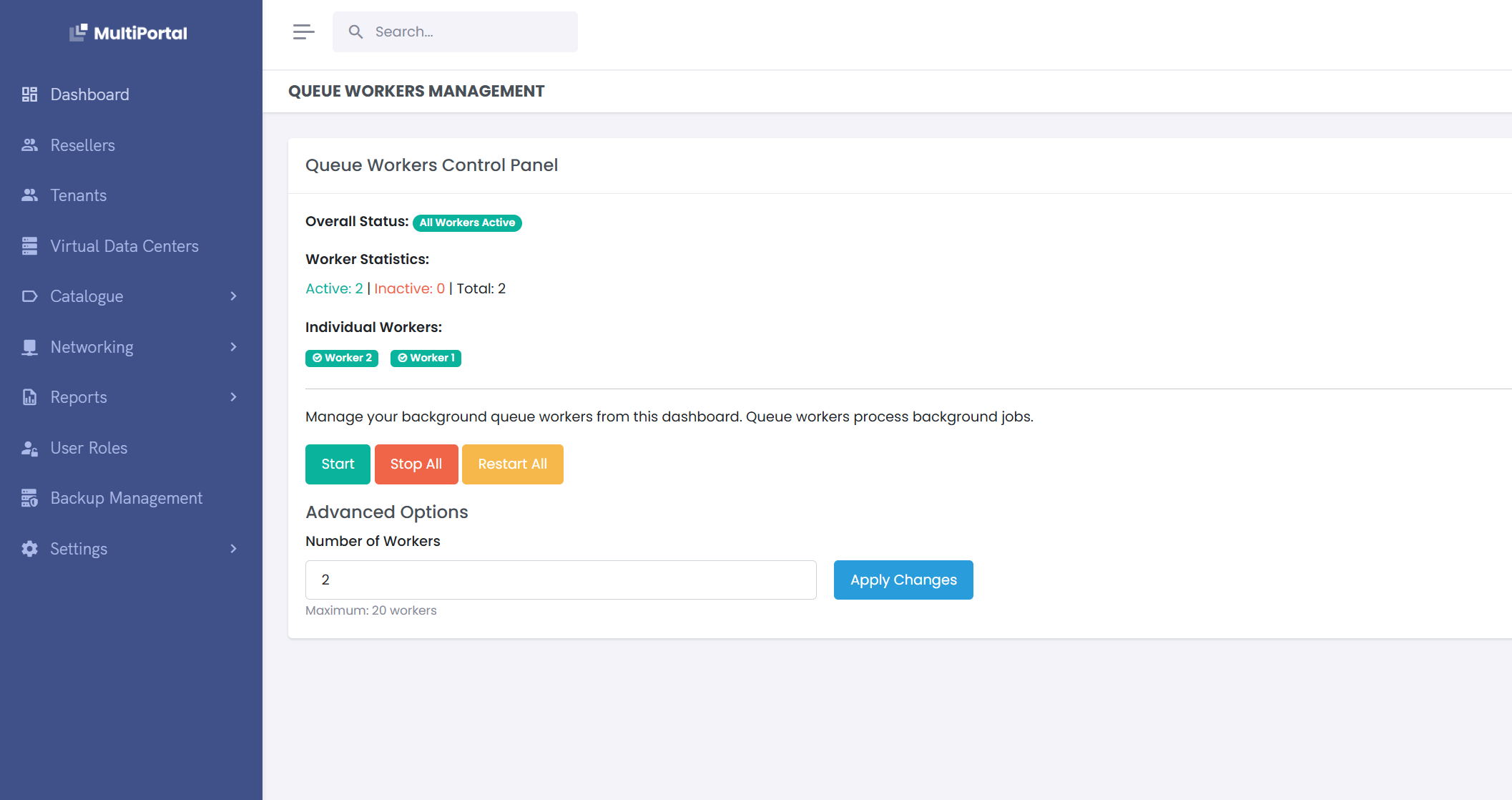
- Default: The system starts with 2 Worker Agents enabled by default.
- Scalability: The number of Worker Agents can be increased up to 20 to handle higher task demand.
- Control: Worker Agents can be started, stopped, restarted, or scaled directly from the configuration page.
This setup ensures administrators have full control over background processing capacity while maintaining system performance and reliability.